Overview
Creative Breadboard is a web-based educational system that analyzes breadboard circuit images with object detection. It detects electrical-device positions, maps pixel coordinates into a circuit-analysis workflow, and presents the result through a browser interface.
Role
- Built TensorFlow-based object-detection models for locating electrical components.
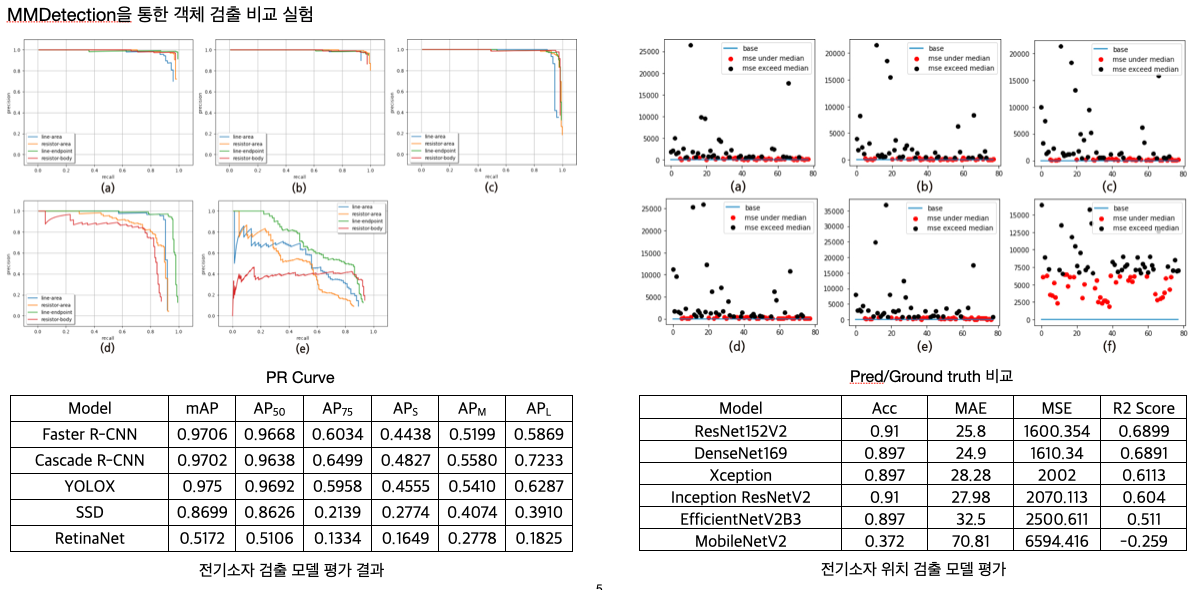
- Experimented with PyTorch/MMDetection models to return component pixel coordinates more reliably.
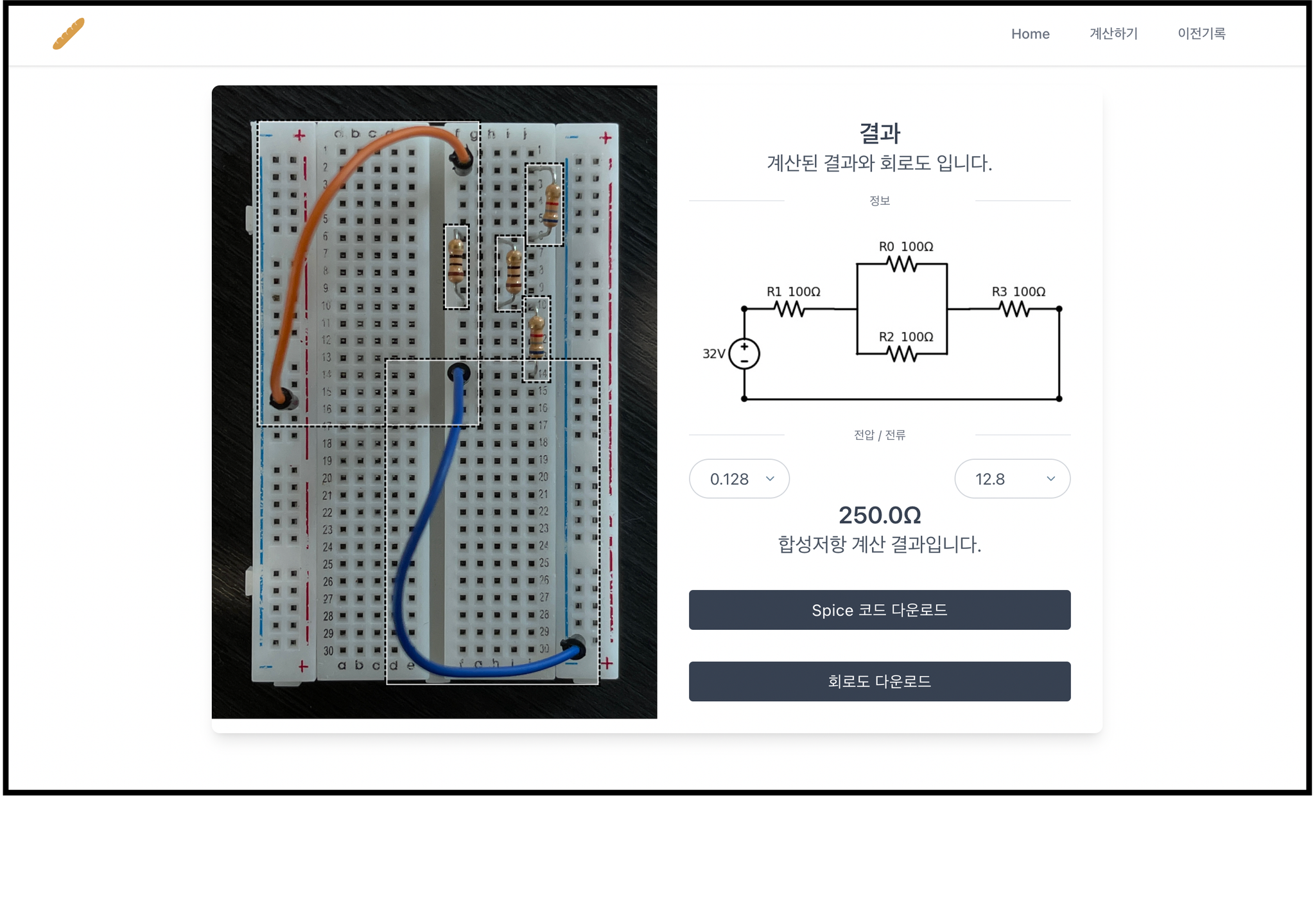
- Implemented the user-facing service page with Vue.js.
- Served the AI model through a Flask backend and connected it to the front-end workflow.
System design
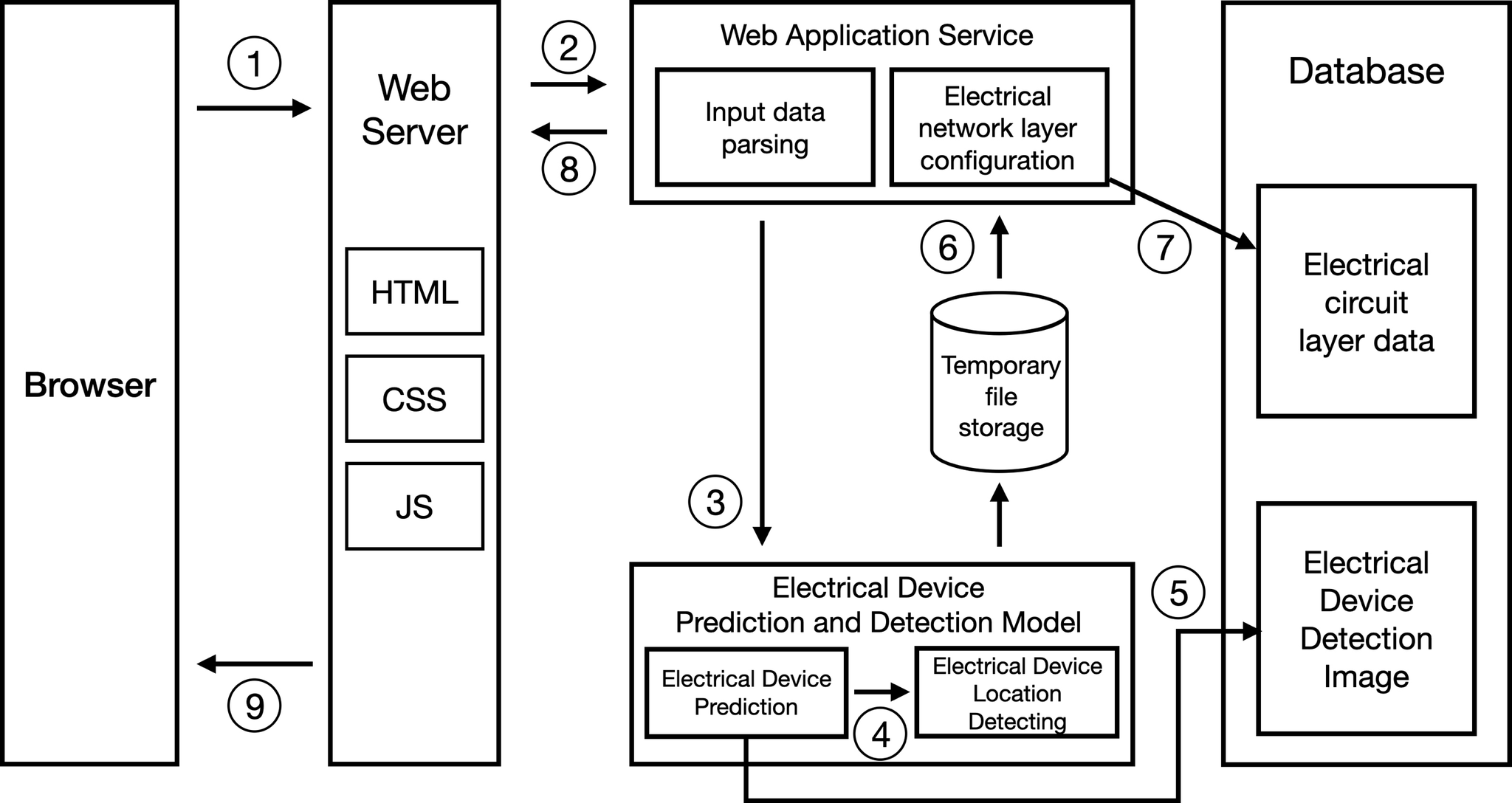
The project was structured as a complete AI-service pipeline: image upload, component detection, coordinate extraction, circuit-analysis logic, and browser-based visualization. Development and testing covered both macOS and Ubuntu environments with Python 3.8.
Publication
This work was published as “Web-based Breadboard Electrical Circuit Analysis Using Object Detection for Educational Purpose” in the Journal of Digital Contents Society.
What I learned
The project was an early full-stack AI deployment experience: not only training a detector, but also serving the model, building a user interface, and connecting computer-vision output to an educational workflow.
Materials
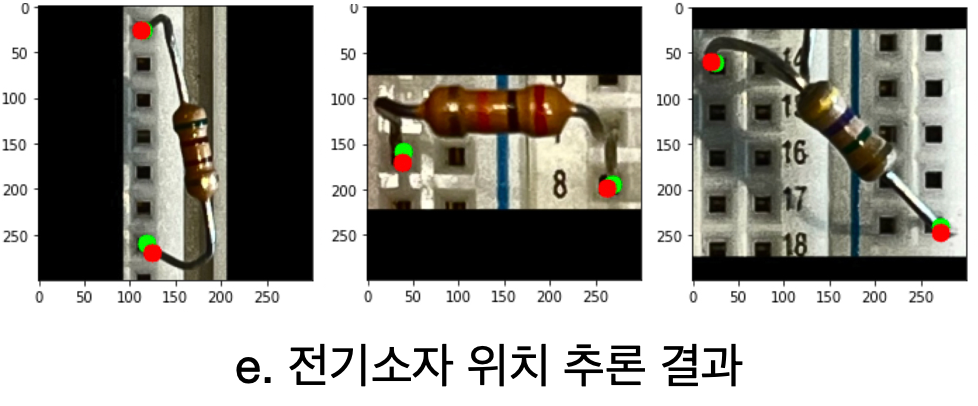
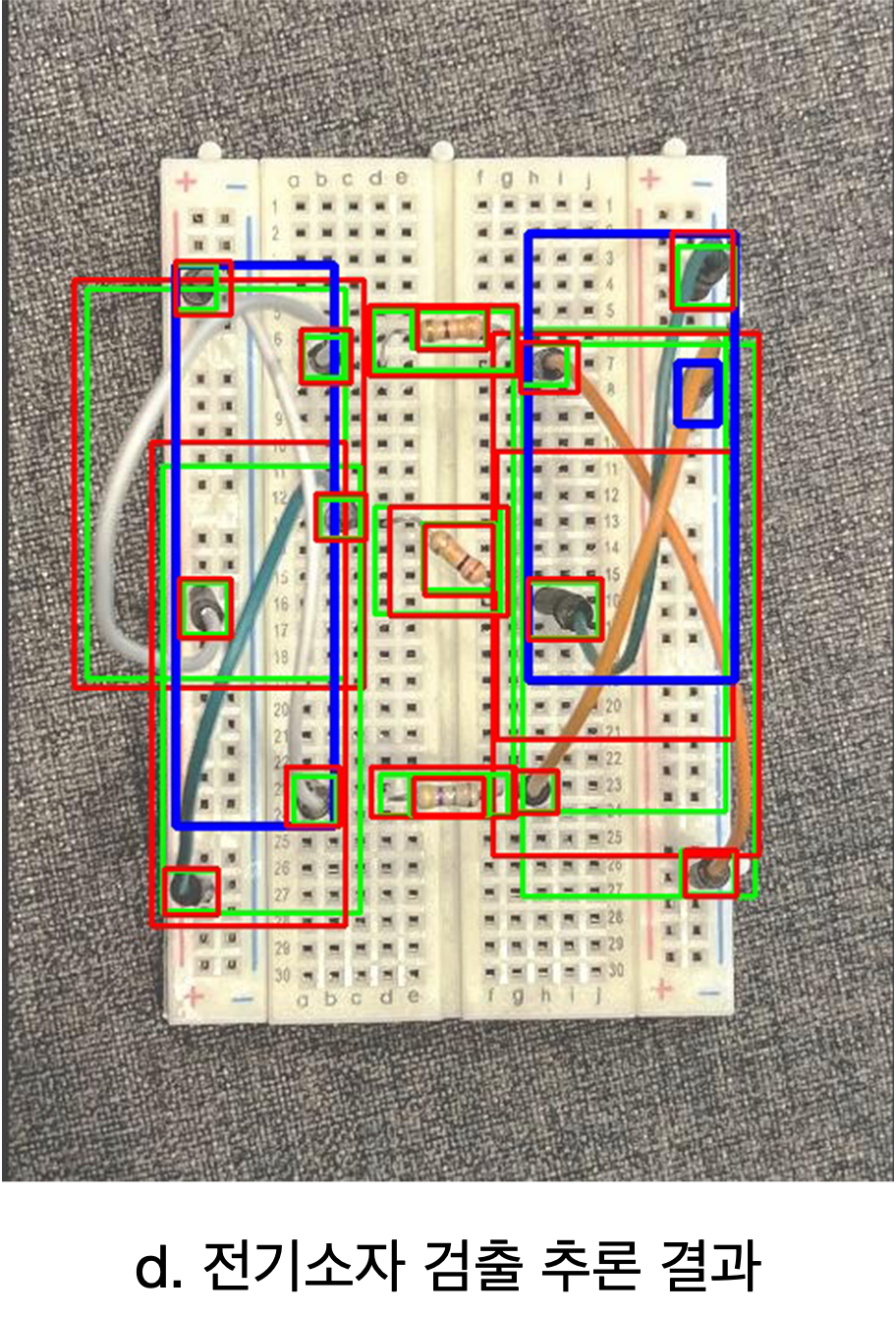
The service visuals cover the full educational workflow: component detection, circuit-analysis flow, browser UI, and detection-result examples.